My Proxima is a web consultation portal, not a mobile application available on a store. Published by Tutelle Au Quotidien, this service allows protected adults and their authorized relatives to consult financial data and documents related to a legal protection measure. Access is mandatory through the judicial representative for the protection of adults (MJPM), who opens the file and provides the login credentials.
My Proxima and separate bank account: a recent regulatory constraint
Since January 2025, each protection measure (guardianship, enhanced curatorship, certain judicial safeguards) must be associated with a separate bank account, even for modest assets. This requirement increases the number of accounts to monitor for each protected person.
My Proxima organizes this complexity by offering a consolidated view by file. The integrated banking teletransmission in the Proxima software feeds the consultation portal, which prevents families from juggling multiple paper statements or online banking spaces.
For caregivers who wish to download the My Proxima application, the first step is to understand that the procedure does not go through Google Play or the App Store, but through a direct request to the representative in charge of the measure.
Activation of the My Proxima protected space: role of the representative
The activation does not depend on the end user. It is the MJPM (or the guardianship service) that decides to open access to the portal monproxima.fr and generates the login credentials. This feature distinguishes My Proxima from most public digital services.
What the representative controls
The representative chooses which data to make visible. The protected adult only sees the validated information: no banking transactions can be made from My Proxima. This functional block is intentional, designed to protect the person under the protection measure.
In practice, the representative can also grant consultative access to an authorized relative (family, designated caregiver). This access remains distinct from that of the protected adult and can be revoked at any time.
Obtaining your credentials
- Contact the judicial representative or the guardianship service by mail or phone to request the opening of a My Proxima access
- Provide the requested supporting documents (identity document, proof of relationship, or judicial decision authorizing access)
- Wait for the account to be created by the representative, who then transmits a username and a temporary password
If the representative does not spontaneously offer access, a written request remains the most effective lever. A refusal must be justified and can be reported to the guardianship judge.
Connecting to monproxima.fr from a browser or tablet
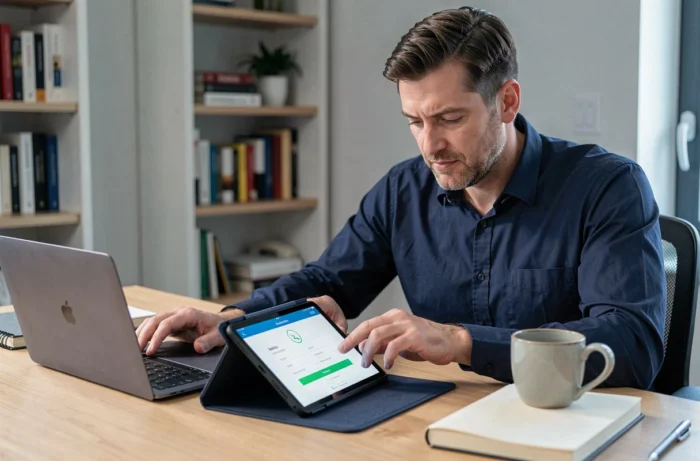
My Proxima works from any up-to-date web browser (Chrome, Firefox, Safari, Edge). No installation is required. This feature makes the service accessible on desktop computers, laptops, or tablets, including in nursing homes.
Creating a shortcut on the home screen
On a tablet or smartphone, open monproxima.fr in the browser, then use the “Add to Home Screen” option. This creates an icon that resembles a traditional application. The shortcut opens the web portal directly, without going through a store.
For a protected adult who is not comfortable with digital technology, this action can be performed once by the caregiver. Access then becomes as simple as tapping an icon.
Common blocking points
- Forgotten password: resetting goes through the representative, not through a standard automatic form
- Outdated browser: older versions of Internet Explorer or Safari on old iPads may prevent the portal from displaying correctly
- Unstable internet connection: My Proxima does not work offline, each consultation requires an active connection
- Confusion with other services named “Proxima”: check that the address in the navigation bar is indeed monproxima.fr

Data security and phishing risk around My Proxima
The data consulted on My Proxima concerns legally vulnerable individuals. Vigilance regarding connection security is not a luxury.
Always check the exact URL before entering your credentials. Phishing attempts exploit similar domain names (“mon-proxima”, “monproxima-connexion”) to retrieve passwords. The only legitimate portal is monproxima.fr.
Best practices on shared devices
In nursing homes or on a family computer, never save the password in the browser. Using private browsing helps prevent the session from remaining open after consultation. On a tablet shared with the caregiver, creating a distinct user profile isolates each person’s data.
The My Proxima portal is subject to regulations on personal data protection. The representative, as the data controller, must ensure that the access granted complies with the framework of the protection measure.
Separation between Proxima business software and My Proxima portal
A common confusion deserves clarification. Proxima is the professional software used by representatives to manage protection measures (accounting, supporting documents, reports to the judge). My Proxima is a distinct consultation component, linked to the business software through a controlled transparency mechanism.
The protected adult or authorized relative only sees what the representative has validated. The electronic document management (EDM) integrated into Proxima allows supporting documents to be attached to accounting entries, and only the documents made visible appear on the My Proxima side.
This architecture explains why some information expected by families does not appear immediately on the portal. The delay depends on the representative’s validation pace, not a technical malfunction.
Access to My Proxima remains conditioned by the relationship with the judicial representative. Any persistent difficulty, whether it is a refusal to open an account or a prolonged absence of data updates, can be reported to the competent guardianship judge.